
Back to Top
Currency
Language



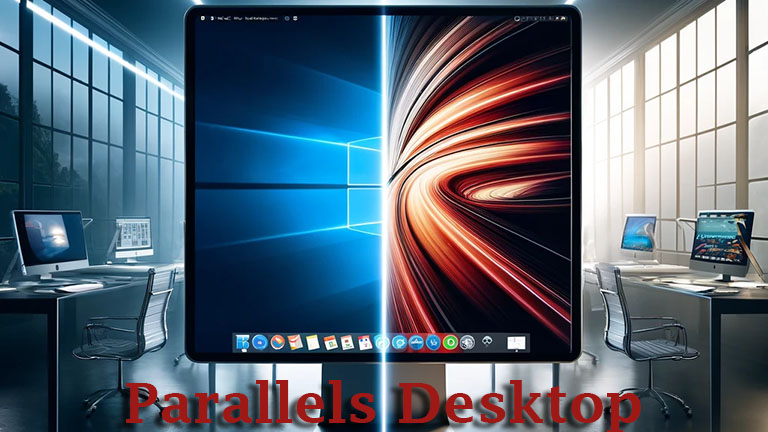
In the world of operating systems, Mac and Windows often appear as rivals. However, with tools like Parallels Desktop, this gap is bridged. Parallels Desktop is a powerful software solution that allows Mac users to seamlessly run Windows on their Apple device. This blog post takes a comprehensive look at Parallels Desktop, from its basics and key features to use cases and user feedback.
Parallels Desktop is a virtualization software developed by Parallels, Inc. It enables users to operate different operating systems on a Mac without needing to reboot. This includes not only Windows but also other operating systems like Linux and older versions of macOS.
Parallels Desktop 19 introduces a variety of new features and optimizations that ensure compatibility and performance with the latest macOS versions, while also improving support for newer Windows versions.
Parallels Desktop 19 offers three main editions—Standard, Pro, and Business—each targeting different user groups.
Standard Edition
The Standard Edition of Parallels Desktop 19 is ideal for individual users and small businesses that want to run Windows applications on a Mac without extensive system requirements. With 8 GB of virtual RAM and 4 virtual CPUs, this edition provides sufficient resources for general applications like Microsoft Office, simple graphic design programs, and internet applications. Its seamless integration, allowing users to almost use Windows as if it were developed for Mac, is a standout feature of this edition. Despite its affordability, the Standard Edition offers full access to updates for new versions of macOS, Windows, and Linux, albeit only in a subscription model.
Pro Edition
For professional users and developers needing advanced features, the Pro Edition is an excellent choice. It significantly expands the capabilities of the Standard Edition by providing 128 GB of virtual RAM and 32 virtual CPUs. This performance boost is crucial for users working with graphics-intensive programs or operating multiple operating systems simultaneously. In addition to supporting the basic features available in the Standard Edition, the Pro Edition enables the running of professional applications such as CAD software, 3D modeling, and advanced data analysis programs. This edition is also available in a subscription model and includes premium support and regular software updates.
Business Edition
The Business Edition builds on the Pro Edition and is aimed at medium to large enterprises that need a robust virtualization solution. It shares the technical specifications of the Pro Edition, like 128 GB of RAM and 32 CPUs, and offers additional management features crucial for businesses, such as central management and mass deployment options. This edition also supports businesses requiring high availability and rapid support for their critical applications by offering daily premium support.
Conclusion on Editions
Each of these editions provides the flexibility and performance to meet the specific needs of various user groups, from simple office applications to computation-intensive, professional environments.
User feedback on Parallels Desktop is overwhelmingly positive. Many appreciate the ease of installation and the seamless integration of Windows applications into the Mac environment. There is some criticism regarding performance requirements, especially when demanding games or applications are used.
Parallels Desktop is an impressive solution for anyone wanting to experience the versatility of Windows on a Mac without compromising on performance or usability. The software ensures that users can get the best of both worlds without having to switch between different computers. With continuous updates and improvements, Parallels Desktop remains a top choice for Mac users reliant on Windows applications. Furthermore, we also offer Parallels Desktop 18 Pro, an enhanced version that provides additional features and performance optimizations for professional users.